
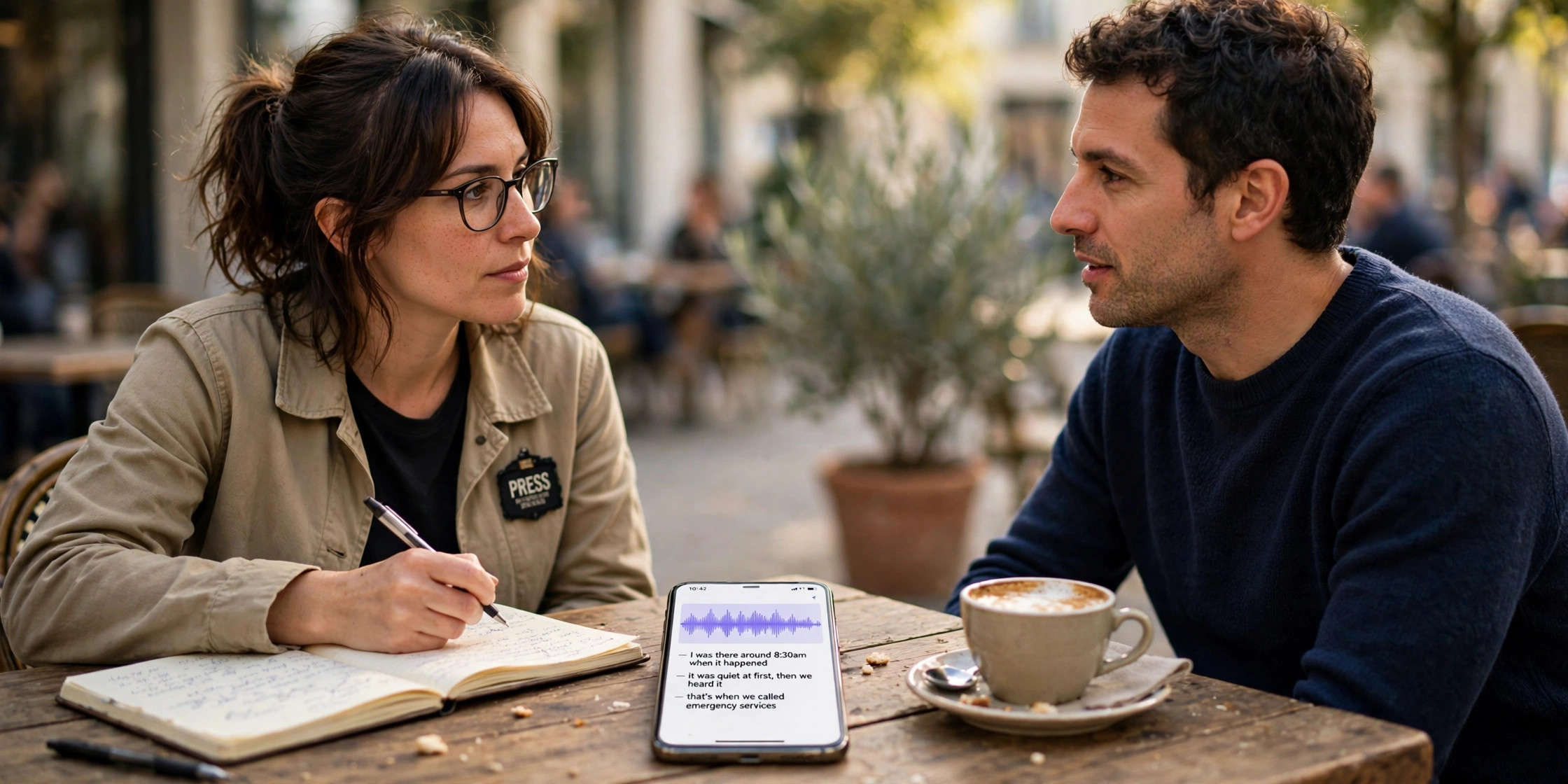
An interview recording is only useful once it becomes text you can search, quote and file. The workflow is: record cleanly, transcribe the same day, then shape the transcript into the format your work needs — not a wall of words.
Most interview recordings never get used. They sit in a folder while the deadline approaches, and replaying an hour of audio to find one quote feels worse than starting from scratch. Transcription fixes the real problem: audio is slow to search, text is fast. Once the words are on the page, the quote you need is a search away.
This guide covers the whole job — recording, format choice, and the transcription itself — for journalists, researchers, podcasters and students. It is the companion to our complete guide to voice notes and transcription, and it pairs with our guide to turning lecture recordings into study notes when the recording is a talk rather than a conversation.
Before you press record: consent and setup
Two things to settle before the interview starts. First, permission: tell the person you are recording, what the recording is for, and whether it will be transcribed or quoted. In many places you are legally required to get consent before recording a conversation, and even where you are not, asking is the professional thing to do — people speak more freely when they know the ground rules.
Second, the setup. Use your phone’s voice recorder or a dedicated app, and put the phone on the table between you and the interviewee, screen down, about an arm’s length from whoever is speaking. Turn on airplane mode so a call or notification cannot interrupt the recording mid-sentence. If the interview matters, run a backup: a second phone, a laptop, or a cheap pocket recorder. One device failing is an annoyance; the only copy failing is a lost interview.
Do a ten-second test before the real questions: record, play it back, and check you can hear both voices clearly. It takes ten seconds and saves every interview that would otherwise have been recorded from inside a pocket.
Record it cleanly
Transcription quality is decided at recording time, not afterwards. No tool rescues a muffled recording reliably. The rules are simple:
- Get close. The microphone should be nearer to the speakers than to anything noisy. A phone on the table between two people beats a phone in a bag across the room, every time.
- Pick the quietest spot. A cafe corner away from the espresso machine, a room with the window shut, a parked car — anywhere the background stays steady. Steady background noise is manageable; sudden noise is not.
- One person at a time. Overlapping speech is the hardest thing to transcribe, for software and for humans. Slow the conversation down a little when an answer matters, and let the person finish before the next question.
- Say names and spellings out loud. “That’s spelled K-O-W-A-L-S-K-I” saves a guessing game later. Do the same for any number, date or technical term you know will matter in the quote.
Pick a format: verbatim, clean read, or summary
Before transcribing, decide what the transcript is for. The three formats serve different jobs, and picking the wrong one means doing the work twice.
Verbatim captures everything: every word, every false start, every “um” and repetition. Use it when the exact wording matters — legal interviews, research where the phrasing itself is evidence, and any quote you may need to defend word for word. It is the slowest format to read, and the most expensive to produce by hand.
Clean read keeps every idea and every quote intact but removes the filler: the ums, the repeated words, the false starts. “I, um, I think — I think we should, we should wait” becomes “I think we should wait.” This is the right format for most journalism, podcast show notes and content work, because it is what the person meant to say, in words they actually said.
Summary is not a transcript at all: it is the key points, the decisions and the quotes worth keeping, in a page or two. Use it when the interview is background rather than source material — a briefing call, a background conversation, an expert call you need to remember rather than quote.
For most interviews, clean read is the answer. Verbatim is for evidence; summary is for memory; clean read is for work.
The transcription workflow, step by step
- Transcribe the same day. Your memory of who said what, and what that mumbled half-sentence was, fades fast. Same-day transcription is noticeably more accurate than next-week transcription, even with good software.
- Run the recording through a transcription app first. An AI transcription pass gives you a full draft in minutes. For interviews, use an app that handles two speakers and keeps them separated — Aura Notes transcribes recordings and keeps the recording with the text, which matters when you need to check a quote against the audio later.
- Listen to the uncertain parts. No transcription is perfect. Names, numbers, accents and overlapping speech are where errors cluster. Play back the audio for any sentence you plan to quote, and for anything that reads oddly.
- Mark the speakers. Label each turn — “Q:” and “A:”, or the person’s name — and mark timestamps every few minutes, like [12:34]. Timestamps are what let you find a moment again in six months without re-listening to the whole recording.
- Save the audio with the transcript. Keep the original recording, unedited, in the same folder as the transcript, with the same file name. If a quote is ever challenged, the audio is the evidence.
Turning a transcript into usable quotes
A transcript is raw material, not output. The usable part is usually a fraction of it. Work through it once, top to bottom, and mark three things: the quotes you will actually use, the facts you need to check, and the sections that are background only.
When you lift a quote, check it against the audio — not the transcript, the audio. Transcription errors are quiet and plausible; the sentence that looks right on the page is the one most likely to be slightly wrong. For a quote you will publish, listen to the original words once more and read your version against them.
Cut with square brackets and mark it: “We [the team] decided in March” is honest editing; silently changing a word is not. If you remove words from the middle of a quote, use an ellipsis. Readers trust quotes that show their edits.
What to do when the audio is bad
Sometimes the recording is what it is: a windy street, a speaker on a bad phone line, a room full of echo. A few things help. First, slow the playback to 0.75 speed — fast mumbling becomes understandable when it is slower. Second, transcribe in short passes: listen to ten seconds, write it, repeat. Third, mark what you cannot hear as [inaudible] with a timestamp, and go back to it once at the end with fresh ears — the sentence that defeated you at midnight is often clear in the morning.
What does not help is guessing. A guessed name or number in a transcript becomes a wrong fact in your article, and wrong facts travel further than corrections. If you cannot hear it, say so in the transcript and ask the interviewee to confirm it later.
Common mistakes
Recording without asking. It poisons the interview when it comes out later, and in many places it breaks the law. Ask first, every time.
Transcribing a week later. You lose the memory that fills in the gaps, and the job takes twice as long. Same day, or as close to it as you can get.
Quoting the transcript without checking the audio. The transcript is a draft, not the record. The audio is the record.
Choosing verbatim when clean read would do. A verbatim transcript of a one-hour interview is a long document full of filler that nobody wants to read. Match the format to the job.
Frequently asked questions
How do I transcribe an interview recording for free?
Record on your phone, then use a transcription app with a free tier — Aura Notes transcribes recordings and keeps the text with the audio, and your phone’s built-in tools can cover short clips. For a long interview, run the recording through an app first for a full draft, then listen back to the parts you plan to quote and correct them by hand. The free route costs time, not money: expect to spend 15–30 minutes checking an hour of audio.
What is the best format for an interview transcript?
Clean read — every idea and quote intact, filler words removed — is the best format for most work: journalism, podcast notes, content and research write-ups. Use full verbatim only when the exact wording is evidence, such as legal or academic research. Use a summary instead of a transcript when the interview is background you need to remember rather than quote.
How long does it take to transcribe an interview?
By hand, roughly four hours of work for one hour of interview audio — listening, typing, and re-listening to the unclear parts. With an AI transcription app producing the first draft, the same hour takes 15–30 minutes of checking and correcting. Either way, transcribe the same day: your memory of the conversation fades fast, and same-day work is noticeably more accurate.
Do I need permission to record and transcribe an interview?
You should always tell the person you are recording and get their agreement, whatever the law where you are says. In many places consent is legally required before recording a conversation, and the rules differ by country and by state. Asking also makes for a better interview: people speak more freely when they know the ground rules.