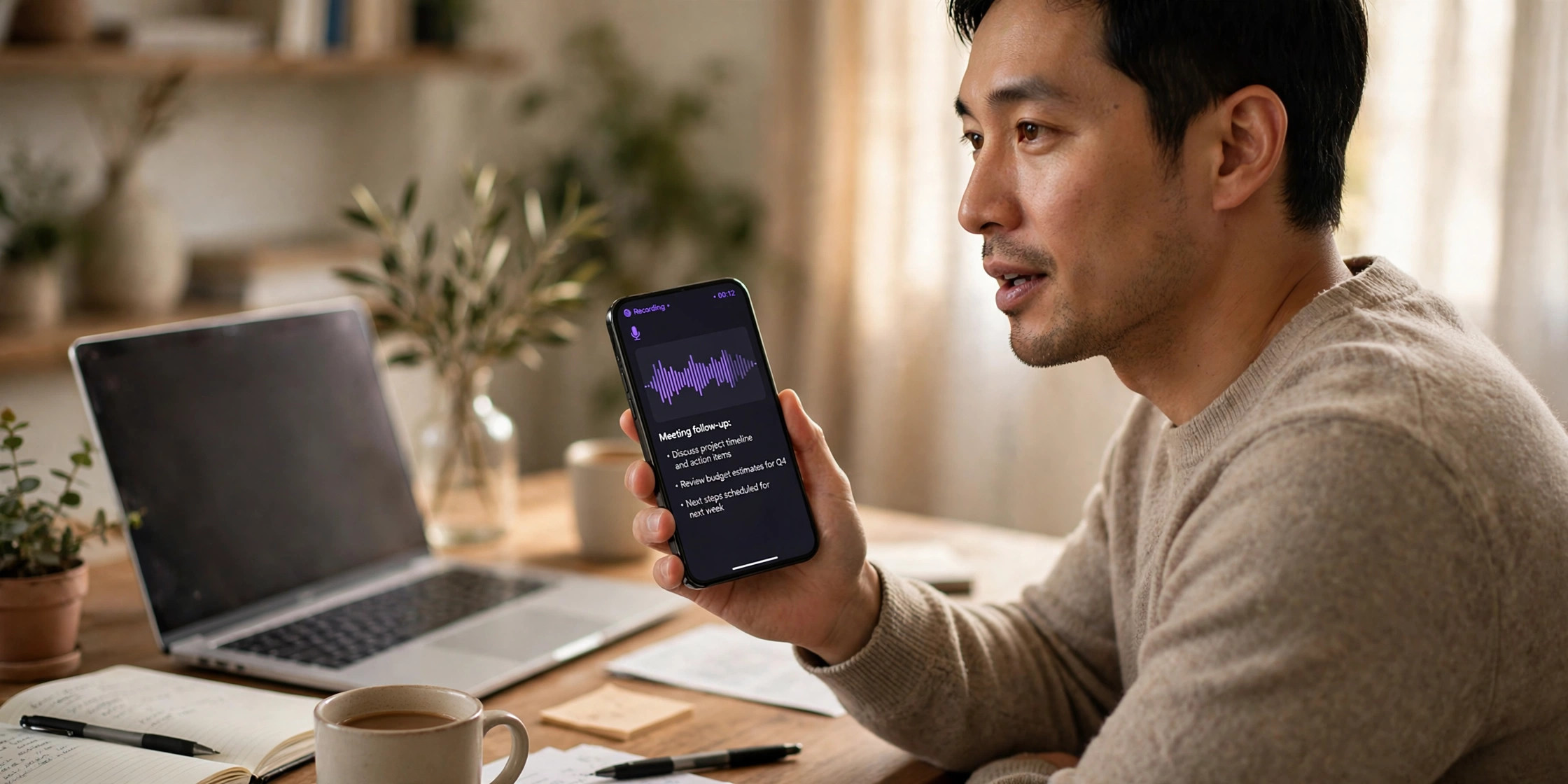
The best voice to text app for notes is not the best dictation app. Notes need recording first, then an accurate transcript you can search, summarise and keep — and those are different jobs.
Most roundups mix three kinds of tool together: live dictation that types as you speak, recorder apps that transcribe a file afterwards, and meeting bots. If what you actually want is notes — lectures, meetings, voice memos and ideas you speak on the move — the ranking changes. Accuracy matters, but so do summaries, search, export and what happens to a two-hour recording.
This list is the notes-focused companion to our complete guide to voice notes and transcription. Each app is judged on the same standard: record, transcribe, organise, find it again.
What makes a voice to text app good for notes
- It records first, transcribes second. A note starts as audio you cannot redo — a lecture, a conversation, an idea in the car. If the app only does live dictation, a missed word is gone forever.
- The transcript is searchable and editable. Text you cannot search is just a longer thing to read. Names and key terms will need correcting in any app.
- It summarises and pulls out action items. The point of a note is what you do next, not a wall of verbatim text.
- It exports cleanly. Your notes should be able to leave the app as plain text or a document you can file, share or study from.
- It handles length honestly. Check the recording and transcription limits before a long lecture or meeting, not after.
1. Aura Notes — built for voice notes, not dictation
Aura Notes is designed around the record-first workflow: record in the app or bring in a recording, get an AI transcript, then a summary and the action items pulled out of what was said. Notes stay searchable, and transcripts and summaries export as TXT, PDF, DOCX and SRT, so a lecture can become a study document and a meeting can become a written brief.
It is the strongest fit on this list if your notes begin as speech in different places — your own ideas, in-person meetings with no bot joining, interviews and long voice memos — and need to end up as organised text in one place. Available on iPhone and Android.
2. Apple Voice Memos with Apple Intelligence — free and already installed
On supported iPhones, Voice Memos records and transcribes in one place at no extra cost, and the transcript is searchable. For short, personal voice notes on an iPhone it is the obvious starting point — there is nothing to install and nothing to learn.
The limits are platform and depth: it is Apple-only, summaries depend on Apple Intelligence support for your model and region, and organisation is basic compared with a dedicated notes app. Many people start here and move when their notes outgrow a list of recordings — our step-by-step for transcribing a voice memo on iPhone covers its methods in full.
3. Google Recorder — excellent, if you own a Pixel
Google Recorder transcribes as it records, works offline, and makes recordings searchable by word. On a Pixel it is one of the best free transcription tools on any phone, and recordings can be backed up and read on the web.
The catch is in the name: it is a Pixel exclusive and cannot be installed on other Android phones. It is also a recorder first — summaries, action items and rich exports are not its job. Pixel owners should absolutely use it for capture; whether it is also your notes system depends on how much organising you need afterwards.
4. Otter.ai — the meeting specialist
Otter built its name on meetings: it can join online calls, transcribe live, and produce meeting summaries with speakers and action items. For teams whose notes are mostly scheduled video meetings, that automation is genuinely convenient, and we compared it in depth in our look at Otter.ai alternatives.
For personal notes it is heavier than most people need. The bot-joining model does not suit in-person conversations, lectures or private voice memos, and the free tier’s transcription allowance is limited. Choose it for meetings infrastructure, not as a pocket notebook.
5. Notion and other notes apps with voice capture
If your notes already live in a general notes app, its built-in voice recording and AI transcription can be the pragmatic choice: one less app, and the transcript lands where your other notes are. The trade-off is depth — transcription and summaries are features inside a bigger product, so recording limits, export formats and search across audio notes are usually thinner than in a dedicated tool.
This route works best when voice is an occasional input. If voice is how most of your notes start, a specialist app will feel faster within a week.
How to choose: match the app to the note
Ideas and voice memos: record-first, one tap, transcription automatic — Aura or your phone’s built-in recorder. Lectures: long-recording support, search and export matter most; test the length limits before term starts. Online team meetings: a meeting tool like Otter earns its place. In-person meetings and interviews: a phone-on-the-table app, with everyone’s knowledge that it is recording.
Whichever you choose, recording quality decides more than the app does: phone within reach of the speaker, notifications silenced, one voice at a time. Every tool on this list transcribes a clean recording well and a noisy one badly — our guide to organising voice notes covers what to do with the transcripts once you have them.
Frequently asked questions
What is the most accurate voice to text app for notes?
No single app wins on every recording. With clear audio — one speaker, close to the phone, a quiet room — the leading AI transcription tools are all accurate enough to read, search and quote with light editing. Accuracy drops with background noise, distance, overlapping speakers and strong accents, and names and technical terms are the first errors in any app, so always proofread anything you will publish or send.
Is dictation the same as transcription?
No. Dictation types live while you speak, into whatever app is open — good for drafting a message, bad for capturing a lecture. Transcription turns a recording into text afterwards, so the audio is kept, the words can be searched, and nothing is lost if the app mishears a sentence. For notes, transcription is usually the safer of the two.
Can voice to text apps handle long lectures and meetings?
Yes, but check the limits first: maximum recording length, transcription minutes on your plan, and file-size caps for imports all vary by app and tier. Record a long session in one file where you can, keep the phone plugged in, and test the full workflow with a ten-minute recording before you rely on it for a two-hour lecture.
Are my voice notes private in these apps?
It depends on the app and how it transcribes. AI transcription normally processes audio on the provider’s servers, so read the privacy policy before recording anything sensitive: what is stored, for how long, and whether audio is used for anything else. For confidential conversations, get consent, consider whether transcription is appropriate at all, and delete recordings you no longer need.