Otter’s free plan now gives you 300 transcription minutes a month, capped at 30 minutes per meeting. If that’s not enough, the cheapest like-for-like meeting replacement is Notta — and if you mainly record voice notes rather than meetings, Aura Notes, AudioPen and Whisper Memos all cost less than Otter Pro.
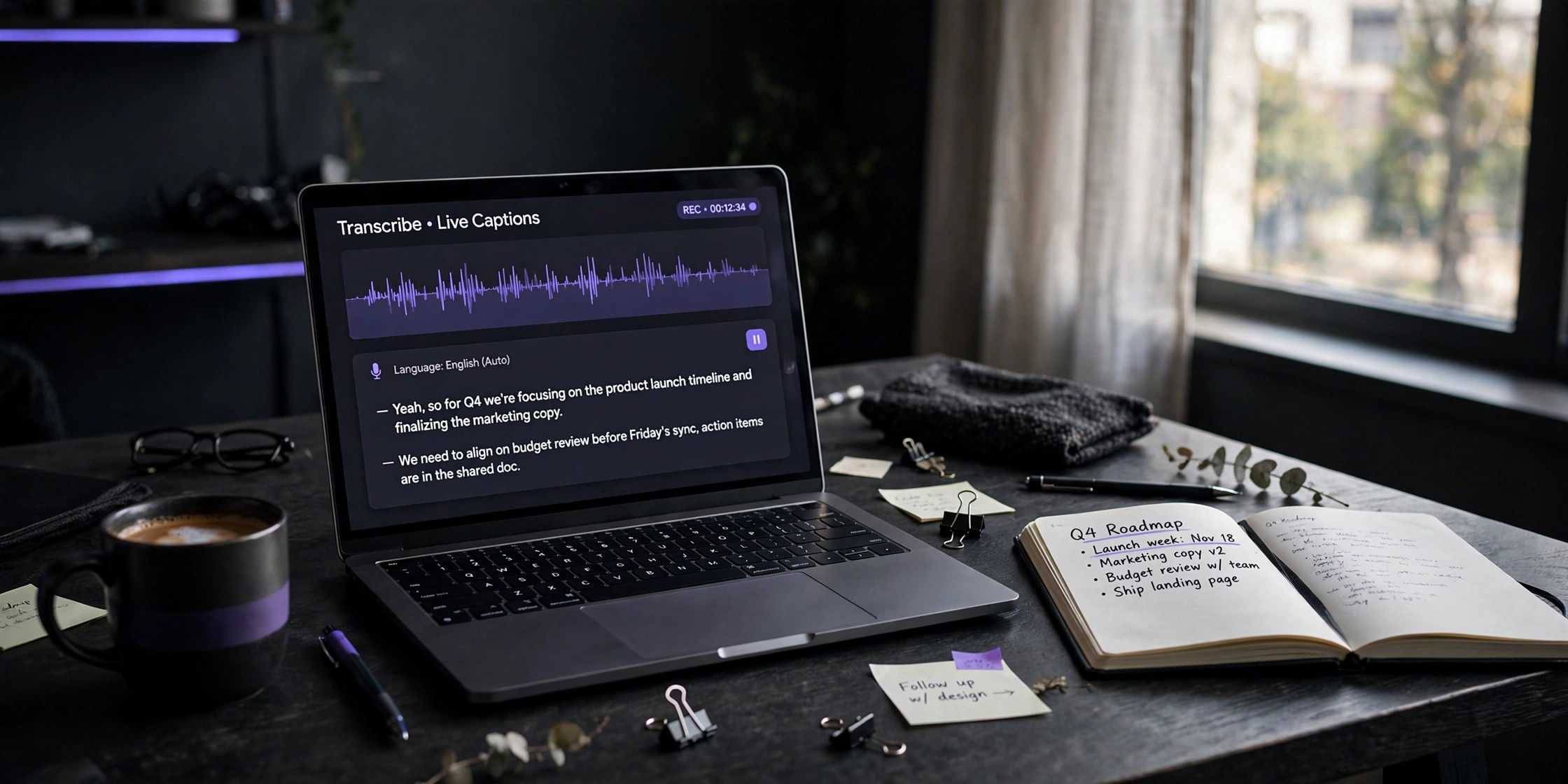
Otter.ai became the default AI meeting notetaker for a reason: its bot joins your Zoom, Meet or Teams calls on its own, transcribes live with speaker labels, and hands you a summary with action items afterwards. But the free tier has tightened over time, and at $16.99/month (or $8.33/month billed annually) for Pro, it’s worth asking whether you’re paying for features you don’t use.
Here’s the honest breakdown. If your work is live meetings with a team, Otter still wins and you should probably stay. If it’s anything else — voice notes, interviews, lectures, dictation — there’s almost certainly a cheaper tool that fits better. All pricing below checked October 2026.
The six alternatives at a glance
| App | Free tier | Starting price | Key strength | Best for |
|---|---|---|---|---|
| Aura Notes | Free tier available | See app listing | Voice notes with AI summaries, ask-AI chat, search | Personal voice notes on iPhone & Android |
| AudioPen | ~10 notes, ~3 min each | $99/year (~$8.25/mo equiv) | Turns rambling into clean prose | Thought capture, journaling, drafting |
| Notta | 120 min/month (3-min cap per recording) | ~$8.17/mo annual | Meeting bot, 58 languages | Cheapest Otter-like for meetings |
| Whisper Memos | Free trial | From $5/month | One-tap iPhone/Watch capture, emailed transcripts | Hands-free idea capture on Apple devices |
| MacWhisper | Free (small models) | ~$60–70 one-time | On-device transcription, batch files | Mac users, privacy, long recordings |
| Google Recorder | Free, unlimited | Free | On-device, searchable, offline | Pixel owners — unbeatable if you qualify |
Pricing checked October 2026 against each vendor’s published plans. Free-tier limits change often — treat the table as a snapshot, not a contract.
When you shouldn’t switch at all
This article exists to save you money, so here’s the part that doesn’t: sometimes Otter is worth it. If your team lives in Zoom, Meet or Teams and shares meeting notes across a workspace, Otter’s bot-plus-collaboration loop is the most mature version of that workflow you’ll find. Speaker identification, searchable history across hundreds of calls, AI chat over your entire meeting library, CRM sync — the alternatives either don’t do these things or do them less well.
The free tier’s real constraint isn’t the 300 minutes, it’s the 30-minute per-meeting cap. A single hour-long client call blows past it, and restarting the recording mid-meeting is the kind of friction that makes people upgrade. If that’s your pattern — a handful of long calls a week — price out Otter Pro ($8.33/month annual) against Notta Pro ($8.17/month annual) honestly: the difference is about sixteen cents, and Otter’s polish may matter more than Notta’s extra minutes.
The people who overpay for Otter aren’t the ones in meetings all day. They’re the ones recording voice notes to themselves on a $17/month meeting tool. If that’s you, everything below will save you real money.
Aura Notes — best for personal voice notes
Aura Notes is built for the other half of the transcription market: not meetings, but the voice notes you record to yourself. Ideas in the car, thoughts on a walk, reminders you’ll forget by dinner. You hit record, it transcribes, and the AI turns it into a clean summary you can actually use.
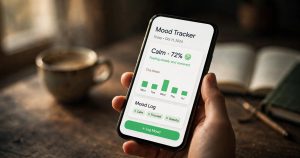
What stood out from the app itself: every note keeps its transcript alongside an AI summary, there’s an Ask AI chat that answers questions across your notes, and search actually works — you can find a half-remembered idea weeks later. It also tracks your recording stats and streaks, which sounds gimmicky until you’re trying to build a daily capture habit.
It’s on iPhone and Android, which already separates it from half this list. The honest limitation: it’s a personal tool, not a meeting bot. If you need something joining your Zoom calls and sharing notes with a team, that’s Otter or Notta’s job, not this one.
Pick Aura Notes if: your recordings are voice notes to yourself, not meetings — and you want summaries and search, not just a raw transcript. See Aura Notes →
AudioPen — best for turning rambling into writing
AudioPen does one thing and does it well: you ramble, it hands back clean prose. It’s not really a transcription tool in the Otter sense — it’s a thinking tool. You talk through an idea and get back structured paragraphs you can paste into a draft, a journal, or a newsletter.
The pricing is unusual and worth understanding before you buy. There’s no monthly subscription: Prime is sold as a prepaid pass — $33 for three months, $99 for a year (about $8.25/month equivalent), or $159 for two years. You’re buying a window of calendar time, not minutes, so if your habit dies in month three the rest is already spent.
Two ceilings to know about: a single recording tops out at 15 minutes even on Prime, and uploads are metered at 100 files per four weeks. If you want to drop a 50-minute interview in and get a summary, AudioPen won’t do it. The free tier is genuinely limited (around 10 notes at ~3 minutes each) — enough to test the writing quality, not enough to live on.
Pick AudioPen if: you think out loud and want polished text back — journaling, drafting, working through ideas. Skip it if: you record anything longer than 15 minutes, or you need meeting transcription at all.
Notta — the closest cheaper Otter for meetings
If you actually need what Otter does — a bot that joins meetings and transcribes them — Notta is the most direct cheaper alternative. It covers Zoom, Meet, Teams and Webex, transcribes in 58 languages (far more than Otter), and its Pro plan is roughly $8.17/month on annual billing for 1,800 minutes, versus Otter Pro’s $8.33/month for 1,200 minutes.
The free tier is 120 minutes a month, but with a catch that matters: each recording is capped at 3 minutes, which makes it nearly useless for testing on a real meeting. The paid tier is where the value is — 30 hours of transcription a month for about eight dollars is genuinely hard to beat.
Where Otter still wins: maturity. Otter’s speaker identification, its AI chat across your whole meeting history, and its integrations are more polished. Notta’s accuracy is competitive on clean audio, but reviewers consistently note it drops off faster with crosstalk and background noise. If your meetings are tidy and your budget matters, Notta wins on price. If your meetings are chaotic, Otter’s polish may be worth the difference.
Pick Notta if: you want Otter-style meeting transcription for less money and your calls are reasonably well-behaved.
Whisper Memos — best for hands-free capture on iPhone
Whisper Memos is the most opinionated app on this list. It doesn’t want to be your meeting tool — it wants to be the fastest path from a thought in your head to text somewhere useful. One tap on your iPhone, Apple Watch, or Action Button, and seconds later a formatted transcript with an AI summary lands in your inbox.
The email-based workflow is the thing people either love or bounce off. Everything routes to your inbox by default, with custom prompts and integrations (Notion, Todoist, Zapier) for where it goes next. Recordings can run up to 90 minutes with no daily limits, which quietly beats AudioPen’s 15-minute ceiling.
Pricing starts at around $5/month — cheaper than Otter Pro by a wide margin, though you’re comparing different jobs. The hard limits: iPhone and Apple Watch only, no Android, and the whole workflow assumes you’re comfortable with email as the delivery mechanism.
Pick Whisper Memos if: you’re deep in Apple’s ecosystem and you capture ideas while walking, driving, or otherwise unable to type. Skip it if: you’re on Android, or you need meeting bots.
MacWhisper — best for Mac users who care about privacy
MacWhisper runs OpenAI’s Whisper models directly on your Mac — no audio ever leaves the machine. For journalists, researchers, lawyers, or anyone handling sensitive material, that’s the entire pitch, and it’s a good one. Apple Silicon Macs transcribe remarkably fast locally.
The pricing model is refreshingly old-school: free for the small models, then a one-time Pro license around $60–70 with lifetime updates. No subscription. Pro unlocks the large models, batch processing, speaker recognition, and subtitle export. If you transcribe lots of long files — interviews, lectures, podcast episodes — the batch queue alone justifies it.
The trade-offs are obvious: it’s Mac-only, there’s no mobile app, and it’s a transcription tool first — summaries and AI processing are add-ons rather than the core loop. It won’t join your meetings or send you an email summary.
Pick MacWhisper if: you work on a Mac, transcribe pre-recorded audio, and want maximum privacy with no subscription. Skip it if: you need mobile capture or meeting automation.
Google Recorder — the best free option, with one big if
If you own a Pixel, stop reading: Google Recorder is free, pre-installed, transcribes on-device in real time, works offline, handles recordings up to 18 hours, lets you search transcripts (even for sounds like laughter), and on Pixel 8 and later generates AI summaries. It exports to text or Google Docs. There is no cheaper alternative because there is no price.
The “if” is the whole story: it’s Pixel-only (Pixel 3 and later, plus Pixel Tablet). No iPhone version, no real Android-wide version — sideloading exists but isn’t supported. If you’re on iOS, this entire section doesn’t apply to you, and that’s exactly why apps like Aura Notes and Whisper Memos exist.
Pick Google Recorder if: you have a Pixel. It’s genuinely the best free transcription available on any phone. Skip it if: you don’t — there’s no version for you.
Which should you actually pick?
It comes down to what you record, not which app has the longest feature list:
- Live meetings with a team → stay with Otter. The bot, the integrations, the shared workspace — nobody on this list beats it at its own game. If the free tier’s 300 minutes aren’t enough, Notta is the cheapest way to keep the same workflow.
- Meetings but cheaper → Notta. Same meeting-bot shape as Otter, more languages, more minutes per dollar.
- Voice notes to yourself (iPhone or Android) → Aura Notes. Transcription plus AI summaries, ask-AI search across notes, and it lives on both major platforms.
- Thinking out loud → AudioPen. The best ramble-to-prose engine here, as long as you stay under 15 minutes per recording.
- Hands-free capture on Apple devices → Whisper Memos. Watch, Action Button, Siri — nothing is faster from thought to text.
- Mac desktop, sensitive audio → MacWhisper. On-device, one-time purchase, batch everything.
- Pixel phone → Google Recorder. Free and better than most paid options. Non-Pixels need not apply.
The unifying rule: Otter charges meeting prices for a meeting tool. If your job isn’t meetings, stop paying meeting prices. And whichever direction you lean, run the free tier for a week first — every app on this list will show you its limits faster than any review can.
Frequently asked questions
Is there a completely free alternative to Otter.ai?
Yes, with conditions. Google Recorder is completely free and excellent — but only on Pixel phones. MacWhisper’s free tier handles basic transcription on your Mac at no cost. Notta’s free plan gives 120 minutes a month, though the 3-minute per-recording cap makes it impractical for real meetings. For genuinely free, unlimited-ish use, the Pixel-only Recorder is the answer; everyone else will hit a paywall somewhere.
Which of these can join my Zoom or Teams meetings like Otter does?
Notta is the only one on this list with a true Otter-style meeting bot for Zoom, Microsoft Teams, Google Meet and Webex. The others are personal tools: Aura Notes, AudioPen and Whisper Memos record from your own device, MacWhisper works on files you feed it, and Google Recorder captures audio around your phone. If the bot-joining-your-call workflow is non-negotiable, your shortlist is Otter vs Notta.
What’s the cheapest way to transcribe long recordings?
For pre-recorded audio, MacWhisper’s one-time ~$60–70 Pro license is the cheapest long-term option — no subscription, batch processing included. Notta Pro (~$8.17/month annual) gives 1,800 minutes a month if you prefer cloud. Avoid AudioPen for this: its 15-minute per-recording cap rules out long files entirely.
Which option keeps my audio private?
MacWhisper and Google Recorder both transcribe fully on-device — your audio never leaves the machine. That’s the gold standard for sensitive material. The cloud tools (Otter, Notta, AudioPen, Whisper Memos, Aura Notes) all send audio to servers for processing; check each vendor’s privacy policy and data-retention settings if that matters to you.
Can I move my existing Otter transcripts to another app?
Otter lets you export transcripts as text (and other formats on paid plans), so your history isn’t locked in — but none of these apps offer a one-click Otter importer. In practice, people export the transcripts that matter and start fresh. If searchable history across years of meetings is core to your workflow, that’s actually a reason to stay with Otter rather than switch.